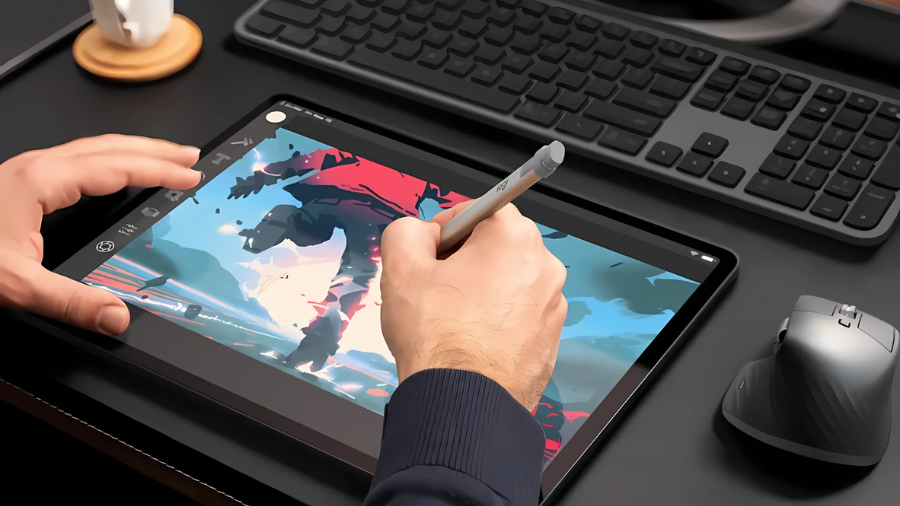
Remember when digital creativity meant choosing between an expensive Apple Pencil or questionable third-party alternatives? I’ve spent countless hours testing styluses, and the Logitech Crayon stands out with its impressive 4-foot drop protection and pixel-precise input technology. This affordable iPad companion might just revolutionize how you interact with your tablet.
Universal iPad Compatibility
Extensive Device Support
The stylus functions flawlessly across iPad models released from 2018 onward, including the iPad Pro 12.9-inch (3rd generation and later), iPad Pro 11-inch (1st generation and later), iPad Air (3rd generation and later), iPad mini (5th generation and later), and standard iPad (6th generation and later).
Operating System Requirements
iPadOS 12.2 or later ensures optimal performance and access to all features. The device connects instantly without requiring any pairing process, making it ready for immediate use across hundreds of Apple Pencil-supported applications.
Design and Durability Features
Physical Specifications
The stylus measures 6.26 inches (159 mm) in length, 0.47 inches (12 mm) in width, and 0.31 inches (8 mm) in depth, weighing a mere 0.71 ounces (20 g). Its flat-sided design prevents unwanted rolling on work surfaces.
Durability Elements
Built to withstand drops from heights up to 4 feet (1.2 meters), the device offers professional-grade durability. The tip replacement system allows for extended longevity through replaceable tips, available separately.
Performance and Technology
Precision Input
Incorporating Apple Pencil technology, the stylus delivers pixel-precise input for accurate writing and drawing. The tilt sensitivity feature enables dynamic line weight adjustments – simply tilt the stylus to vary between thicker and thinner lines.
Advanced Writing Experience
Palm rejection technology allows users to rest their hand naturally on the screen while writing or drawing, eliminating unwanted marks and ensuring a paper-like experience.
Power Management and Battery Life
Battery Performance
A single charge provides up to 7 hours of active writing time. The device charges via USB-C, compatible with standard iPad charging cables.
Power Monitoring
The LED indicator system displays battery status through a clear color-coded system:
- Three green LEDs indicate battery levels above 66%
- Two green LEDs show levels above 33%
- One green LED represents levels above 15%
- One red blinking LED signals levels below 15%
Power Conservation
An automatic power-off feature activates after 30 minutes of inactivity, preserving battery life during periods of non-use.
Real-World Applications
Versatile Functionality
The stylus excels in multiple use cases, from precise note-taking to detailed artistic work. Its compatibility with numerous Apple Pencil-supported apps makes it suitable for document annotation, digital sketching, and educational tasks.
User Accessibility
The ergonomic design accommodates hands of all sizes, making it an appropriate tool for users of all ages and professions. Whether for academic, creative, or professional purposes, the stylus adapts to diverse user needs.
The Bottom Line
The Logitech Crayon proves that premium digital writing doesn’t require premium pricing. With its robust build quality, precise input, and broad iPad compatibility, it’s an intelligent choice for students, professionals, and creative enthusiasts. Ready to elevate your iPad experience? The Logitech Crayon awaits.
Leave a Reply